Scan The World. Walk The Story
Thanks for dropping in to find out more about 3D scanning.
The basic tools for capture are an ordinary smartphone of the last few years and a technique called photogrammetry.
The actual math came from a Frenchman named Gaspard Monge in the mid 1800’s and has been helped by smartphones and their inbuilt technologies (IMUs & Accelerometers) that aid 3D construction.
The last six years have brought advances in technology and software that are creating new 3 and 4D industries.
The most common use cases for 3D capture are heritage, manufacturing and architecture. Augmented and Virtual Reality (AR/VR).
Filmmaking is also using virtual production sets and 3D printed props, to save billions in costs and years of time.
The 21st Century’s Photography and Video
One of the reasons for many of the new use cases for 3D assets has been brought about by 3D pixels called Gaussian Splats. They arrived a few years ago and they make 3D capture extremely accurate, quick and because they can be made with a device you carry around all the time, very affordable.
3D Scanning Phone Apps
Phone apps allow fast capture and processing via cloud rendering services that you upload your captured media (datasets) to.
When I began 3D scanning I used an app called Polycam3D for quick cloud based renders.
It has tons of new features for 3D capture methods and outputs. There is a free tier and if you’re going to do a lot of scanning a pro subscription will pay for itself. The app takes less than an hour to deliver your captures back from the cloud.
The iPhone only app Luma3D is very good but has been known to make you wait some days for processing. It also accepts 360 footage.
Kiri Engine is another great app for Android and Apple devices. They offer a free trial of their paid features.
There’s a free app (email required), Scaniverse which can even process 3D Gaussian Splat scans in minutes on most smartphones (of the last 3-4 years). Instantly sharing 3D assets is simple with their platform IntoTheScaniverse where your scans can be uploaded and shared via a browser link or through a VR headset (Quest 3s or better).
Gaussian Splat King app is also free (iPhone only).
Sharing Your Assets
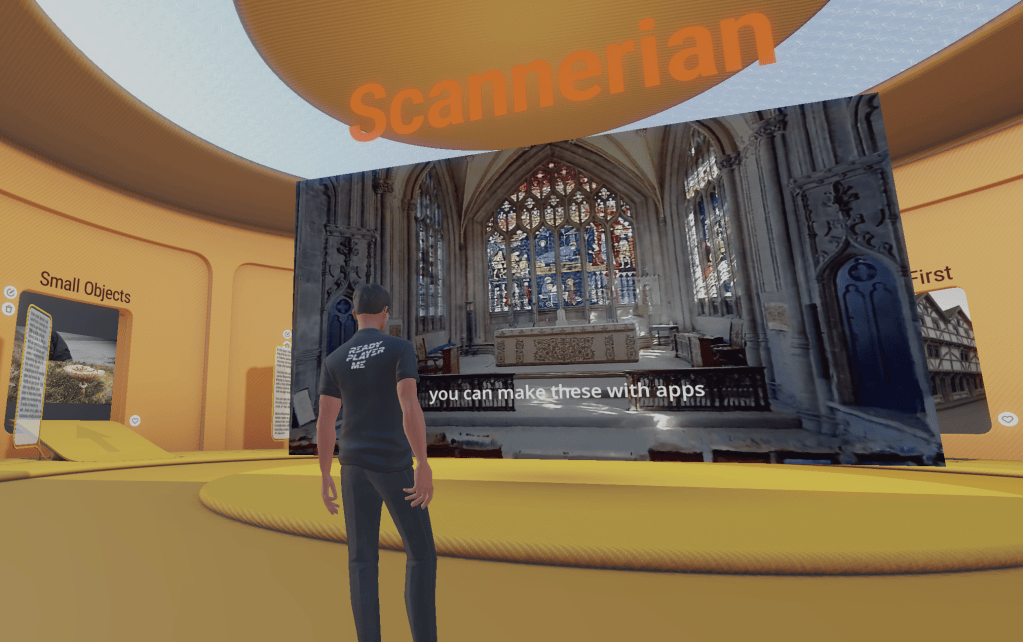
I’ve uploaded a few of my tips on 3d capture on the platform called Arrival.Space which gives a built in Ready Player One type experience and an easy way to share scans and meet with your own (and new) friends inside them. It has a free tier, but the pro tier offers so much more and if you want an easy solution for showing off your work and exploring new places, this is one of the best platforms for this.
If you have a VR headset you can also navigate through the various worlds and sharing your uploads is simple with a browser link.

